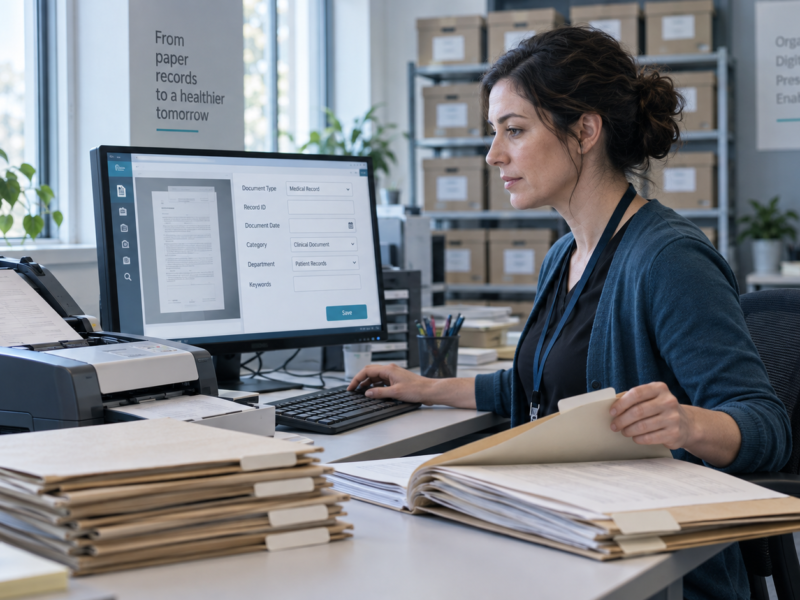

Effective organization of digital files and folders is essential for productivity and efficiency in any digital workspace. Creating a structured system for files can significantly reduce the time spent searching for important documents and enhance focus on tasks at hand. With the growing reliance on digital tools, mastering file organization has become crucial for both personal and professional success.
Many individuals struggle with cluttered desktops and disorganized folder structures, often leading to frustration and lost time. Implementing a few simple strategies can transform how files are managed, making retrieval straightforward and intuitive. By adopting a systematic approach to naming and categorizing files, users can streamline their workflows.
The benefits of organized digital files extend beyond mere aesthetics; they enhance collaboration and data management. By establishing clear naming conventions and folder hierarchies, individuals can facilitate better teamwork and minimize confusion. Taking the time to organize files today can lead to long-term gains in efficiency and productivity.
Building a Logical Folder Structure
A well-thought-out folder structure aids in the efficient organization of digital files. It simplifies file retrieval and enhances productivity. Below are key aspects to consider for building an effective folder hierarchy.
Establishing a Main Folder and Subfolders
The first step involves creating a main folder that acts as the central point of reference. This main folder should reflect the content’s theme or purpose, such as “Work Projects” or “Personal Documents.” Within the main folder, it is crucial to establish subfolders tailored to specific categories or projects.
For example, under a main folder titled “Work Projects,” subfolders could include “2025 Campaigns,” “Reports,” and “Client Briefs.” This strategic division minimizes clutter and enables quick access to relevant files. Naming conventions are important; using clear, descriptive titles can significantly streamline the search process.
Designing Folder Hierarchies
Creating a folder hierarchy involves deciding how many layers of folders are necessary. A structured approach often benefits users who handle numerous files. Start by setting a primary hierarchical level with broad categories, then add additional layers for specificity as needed.
For instance, under a subfolder labeled “2025 Campaigns,” further subfolders might include “Social Media,” “Email Marketing,” and “Content Development.” Each layer should become increasingly specific, allowing users to navigate easily through a well-organized structure.
It’s advisable to limit folder depth to avoid overwhelming users. A maximum of three to four levels keeps navigation intuitive while maintaining clarity in file organization.
Creating Category-Based Folder Structures
Implementing category-based folder structures further refines digital file organization. This method organizes files based on distinct themes or types. For example, files can be sorted by criteria such as projects, clients, or document types.
A typical structure might include folders for “Invoices,” “Contracts,” and “Meeting Notes” within a main folder for “Client Documentation.” This categorization streamlines file retrieval and ensures that related documents are housed together.
In a category-based organization, it’s beneficial to adopt a consistent naming convention. Grouping similar items fosters a sense of order and enhances search efficiency. Effective labeling within each category simplifies identification and access to essential files while reducing time spent wandering through unnecessary folders.
Implementing Consistent Naming and Tagging Strategies
Effective organization of digital files relies heavily on consistent naming and tagging strategies. By choosing appropriate naming conventions, applying uniform file naming practices, and utilizing tags and keywords, individuals can enhance their file management efficiency.
Choosing Effective Naming Conventions
Establishing effective naming conventions is crucial for clarity and ease of access. A good naming convention should be descriptive and concise, allowing for easy identification without opening files.
For example, including dates in a standard format can help sort files chronologically.
A recommended format might be: YYYY-MM-DD_Description
This structure keeps names consistent and easily sortable.
Additionally, incorporating project names, version numbers, and relevant keywords into filenames can provide context. Using underscores or hyphens to separate different elements within a file name enhances readability.
Applying Consistent File Naming
Consistency in file naming reduces confusion and increases productivity. Files should have a predictable structure and format, which helps individuals locate files quickly.
She should avoid using special characters, as these can cause issues in some software and on various devices. Instead, a simple alphanumeric approach is recommended.
Creating a list of predefined terms or abbreviations for projects, team members, or categories can help streamline this process.
For instance, instead of writing “Financial_Report_March_2025,” she might use a standard term like “FinRpt_Mar_2025.” This makes scanning through files simpler while still providing essential information.
Using Tags and Keywords for Better Organization
Tags and keywords are powerful tools for enhancing digital file organization. By using relevant tags, individuals can create a classification system that allows for quick retrieval of files based on specific themes or projects.
He should focus on creating a limited number of tags to prevent overlap and confusion. For instance, tags such as “invoices,” “reports,” and “meeting_notes” can categorize files effectively.
Using a combination of tags can help refine searches further. For example, a file tagged with both “2025” and “budget” can be easily found when searching for that specific project.
Encouraging team members to adopt the same tagging system ensures that shared drives remain organized and efficient.
Optimizing Your Digital Workspace
Creating an efficient digital workspace enhances productivity and minimizes stress associated with disorganized files. By utilizing proper storage solutions, managing clutter, and implementing version control, individuals can maintain an effective digital environment.
Utilizing Cloud Storage Solutions
Cloud storage is essential for modern file management. Platforms like Google Drive, Dropbox, Box, and Microsoft OneDrive enable users to access files from anywhere, on any device. This accessibility not only ensures that important documents are readily available but also provides a backup layer against data loss.
Users can organize files within these platforms using folders and subfolders, mirroring their physical storage systems. Tags and keywords can also be applied to improve searchability. Establishing clear naming conventions for files further enhances organization. For instance, projects could be named with dates and keywords, making retrieval faster.
Managing Digital Clutter and Decluttering Files
Digital clutter accumulates over time, resulting in inefficiencies. Regularly reviewing and decluttering files is a key strategy for maintaining an organized workspace. Setting a schedule to evaluate files allows individuals to identify outdated documents and unnecessary duplicates.
Establishing a consistent file-naming and storing system can simplify the decluttering process. Use folders for categories, like “Invoices,” “Projects,” or “Reports.” It’s also helpful to differentiate between current and archived files, possibly by using external hard drives for older documents. Being proactive in this manner minimizes clutter and ensures that only relevant files are easily accessible.
Setting Up Version Control and Archiving
Version control is crucial for managing changes in documents and projects. Tools like Git or built-in functions in collaborative platforms provide the ability to track modifications over time. This practice prevents confusion and loss of critical information when multiple individuals contribute to a document.
Implementing an archiving system for older versions of files helps retain important information without cluttering the workspace. An effective strategy includes labeling archived files by project name and date. This arrangement makes retrieving historical data straightforward and efficient. Archiving not only preserves valuable insights but also keeps current workspaces clean and focused.
Maintaining and Collaborating in File Organization
Effective file organization requires ongoing maintenance and collaboration. Regular practices can streamline retrieval, while utilizing systems ensures efficient teamwork.
Regular File Retrieval and Maintenance
Consistent retrieval practices enhance workflow efficiency. Regularly auditing files helps identify duplicates, outdated documents, and unnecessary clutter.
Steps for effective maintenance:
- Schedule audits: Set specific intervals, such as monthly or quarterly, for reviewing files.
- Delete outdated content: Remove files that no longer serve a purpose.
- Update naming conventions: Ensure files are consistently named for easy identification.
These practices minimize time spent searching for documents, enabling quicker access to necessary information.
Leveraging Document Management Systems
A Document Management System (DMS) centralizes file storage, retrieval, and management. It improves access and enables organized document classification.
Key features of a DMS:
- Version control: Automatically track document changes, maintaining an organized history.
- Search functionality: Utilize sophisticated search options for quick file retrieval.
- Integration capabilities: Connect with other tools, enhancing productivity.
Implementing a DMS fosters a more structured approach to file organization, allowing teams to focus on collaboration instead of searching for files.
Collaboration and Access Control
Collaborative file management is essential for team productivity. Effective access control ensures that team members have the appropriate permissions to view or edit documents.
Strategies for collaboration:
- Assign roles: Define who can access, edit, or delete files to prevent unauthorized changes.
- Use cloud-based platforms: Leverage services like Google Drive or SharePoint, which facilitate real-time collaboration.
By prioritizing organization and control, teams can work seamlessly while minimizing errors and enhancing file management practices.